Windows 10 Pro N
Work Efficiently with the Latest Windows 10 Pro N in Everyday Use
Work efficiently with the latest Windows 10 Pro N and choose a practical operating system that is especially popular in professional environments. With a wide range of features and numerous technical innovations, this Microsoft operating system easily meets even the highest demands and helps you complete daily tasks productively and reliably. To permanently activate Windows 10 Pro N, a valid license key is required, which is available in our shop.
Important Information About Windows 10 Pro N
When purchasing Windows 10 Pro N, you receive a fully functional and secure operating system. However, there are certain technical and functional differences compared to the standard Windows 10 Pro version.
Microsoft released Windows 10 Pro N in compliance with EU regulations, offering a version without Windows Media Player. The letter “N” stands for “Not with Media Player.” As a result, media playback and disc-burning functions are not included by default.
In addition to Windows Media Player, the following components are also missing:
Advanced Features for Productive Daily Work
Even without the Media Player, Windows 10 Pro N offers a wide range of powerful tools that support efficient professional work.
The integrated Windows Defender provides reliable protection against viruses, malware, and other threats. With real-time monitoring and regular updates, it ensures a high level of system security. Update settings can be customized to allow uninterrupted work while still keeping the system protected.
Modern Browsing with Microsoft Edge
Windows 10 Pro N includes the modern Microsoft Edge browser. Based on Chromium technology, Edge delivers excellent performance, high compatibility with modern websites, and access to thousands of extensions. Compared to Internet Explorer, it offers a faster, more secure, and more flexible browsing experience.
Modern Design and User-Friendly Interface
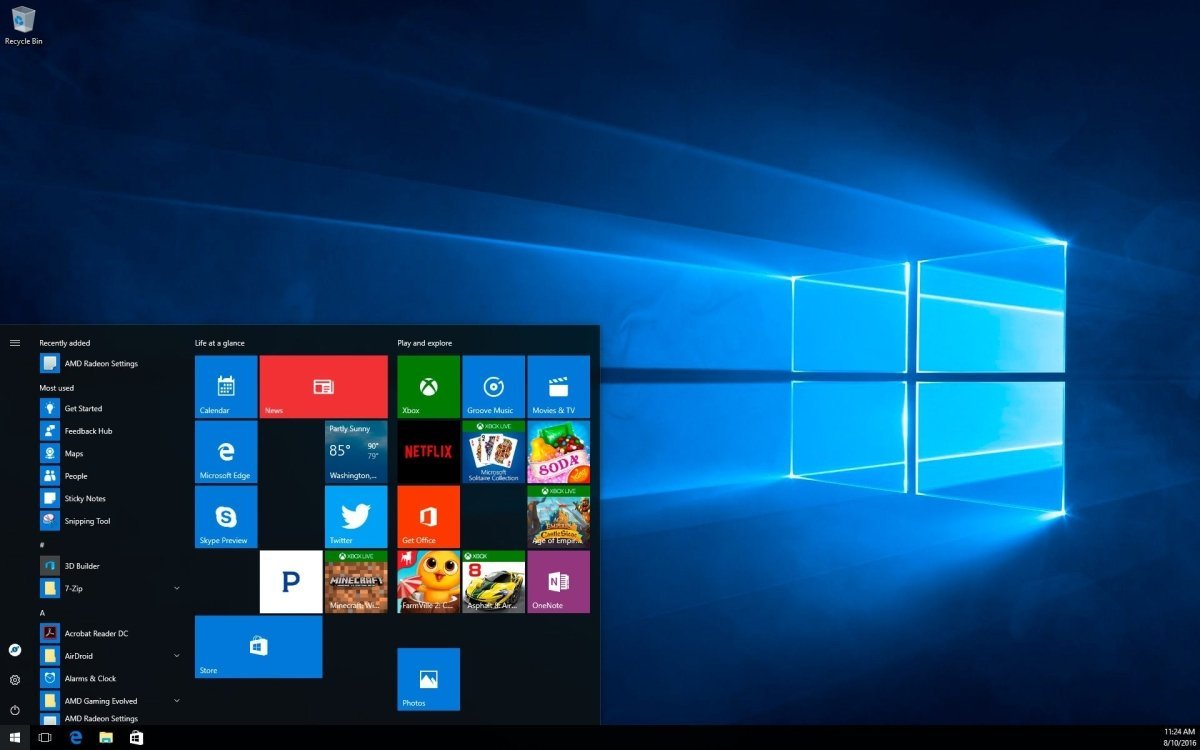
Visually, Windows 10 Pro N has been significantly improved compared to Windows 8 and Windows 8.1. The operating system once again features a classic Start Menu, enhanced with Live Tiles for quick access to apps and information. The Start Menu can be customized easily to suit individual preferences.
Another highlight is Dark Mode, which displays the interface in a dark, high-contrast design. This mode can be enabled or disabled at any time and helps improve focus and reduce eye strain during long working sessions.
Seamless Integration with a Microsoft Account
Windows 10 Pro N offers improved synchronization across devices when using a Microsoft account. Passwords, settings, and preferences can be shared between PCs and laptops, enabling a more efficient workflow.
A Microsoft account is also required to use the Microsoft Store, which is integrated into Windows 10 Pro N. The Store provides access to a wide range of free and paid apps that can be downloaded and installed quickly.
Smart Security and Convenience Features
Windows 10 Pro N includes several advanced security and productivity features, such as:
-
Windows Hello for secure login via facial recognition or fingerprint
-
Dynamic Lock, which automatically locks the PC when you move away
Dynamic Lock works via Bluetooth and a paired smartphone. When the connection is interrupted, the system locks automatically, protecting your data from unauthorized access.
Tips for Using Windows 10 Pro N
If you need media playback functionality, Microsoft offers Media Feature Packs that can be installed later. These packs restore media-related features, including codecs and playback support.
⚠️ Important: A direct upgrade from Windows 10 Pro N to the standard Windows 10 Pro version is not possible. Due to technical differences, a complete reinstallation of the operating system is required.
System Requirements – Windows 10 Pro N
-
Processor: 1 GHz or faster processor or SoC
-
Operating System: Windows 10 N
-
Memory: 1 GB RAM (32-bit) or 2 GB RAM (64-bit)
-
Storage: 16 GB (32-bit) or 20 GB (64-bit) available disk space
-
Graphics: DirectX 9 or higher with WDDM 1.0 driver
(For more detailed information, please refer to the manufacturer.)

 Overview
 Languages









Reviews
Clear filtersThere are no reviews yet.