Product Information – Windows 10 Pro
Work More Efficiently and Secure Windows 10 Pro at a Reduced Price
To work effectively on your desktop PC or laptop, the renowned manufacturer Microsoft has been providing the industry with universal solutions through its Windows operating system for many years. The powerful Windows 10 Pro can be used productively in both private and professional environments.
With an intuitive and modern user interface, combined with many tools already known from previous versions, Windows 10 Pro brings out the best of every function. Purchase your license now directly from Softwarewelt24 for permanent activation and unlimited use, and enjoy a wide range of attractive features.
Designed for the Highest Demands – Windows 10 Pro with Extensive Features
One of the greatest advantages of Windows 10 Professional is its comprehensive overall package. After the initial installation, the operating system already includes all essential components and software required for proper operation. This includes powerful web browsers that support the latest technologies.
The Windows 10 Professional version is not only ideal for browsing the internet on a home desktop PC, but is also extremely popular in professional and business environments. Microsoft focuses in particular on the use of the Pro version for cloud-based workflows, such as Azure Active Directory and identity management services. This allows seamless use of useful SaaS applications like Dropbox or Office 365.
For this reason, Windows 10 Professional includes many features that are especially important for users and businesses. These include the management of the Microsoft Store and company mobile devices—features that are available exclusively in Windows 10 Pro.
Security is another major strength of the system. Features such as BitLocker device encryption significantly enhance protection. This allows you to remotely lock your device in case of loss, preventing unauthorized access to your files and data. Even in the event of theft, you can rely on Windows 10 Pro to keep your information secure.
Overview of New Features in Windows 10 Pro Compared to Previous Versions
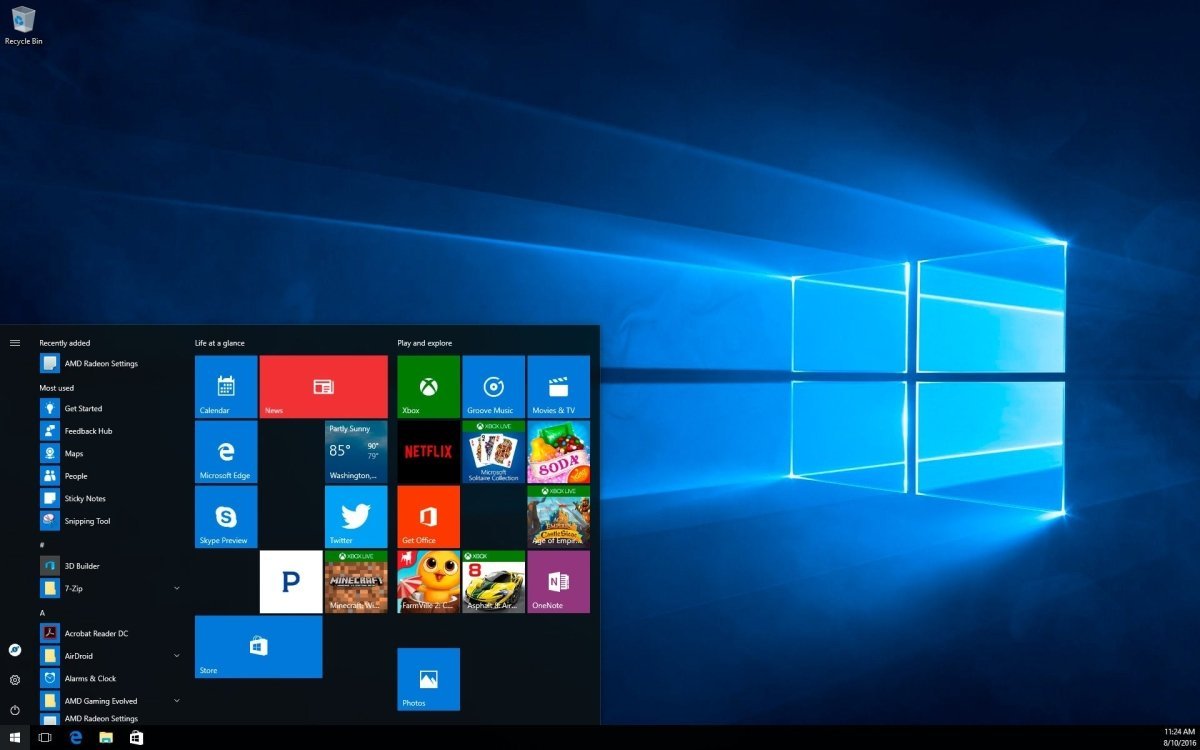
As the official successor to Windows 8, Microsoft introduced many innovations and advanced technologies with Windows 10 Pro. At first glance, the system feels familiar, yet noticeably refined. The design has been improved, with oversized elements becoming a thing of the past. The new system combines a classic Start menu with live tiles for a clear overview.
Users familiar with Windows 7 and Windows 8 will quickly find their way around Windows 10 Pro, while also benefiting from numerous technical improvements.
These innovations are not limited to visual changes. With the built-in voice assistant Cortana, you can perform a wide range of tasks using voice commands. Cortana can save you valuable time by scheduling appointments, searching the web, or opening applications on demand.
Another major improvement is the web browser. With Microsoft Edge, the era of the widely unpopular Internet Explorer has come to an end. Edge features a modern design and is built on the Chromium platform, offering excellent compatibility with a wide range of extensions for personalization and faster browsing.
In terms of security, Microsoft introduced additional practical innovations with Windows Hello. Instead of entering a PIN or password repeatedly, you can use facial recognition or fingerprint authentication (with compatible hardware) to unlock or lock Windows 10 Pro quickly and securely.
Modern systems also benefit from improved support for additional devices such as touchscreens and drawing tablets, enabling a more intuitive and flexible workflow. With Continuum, Windows 10 Pro can automatically switch to tablet mode for an optimized touch experience.
When downloading new applications or software from a trusted source, you can rely on the Windows Store included in Windows 10 Pro. It offers a wide selection of useful programs, free apps, add-ons, premium software, and games that can be purchased conveniently using various payment methods.
Applications and software purchased through your Microsoft account are also available on other connected devices. With Windows 10 Pro, Microsoft further expands compatibility with other hardware and platforms, including the Xbox console. With Play Anywhere, you can use supported games across multiple platforms without additional purchases.
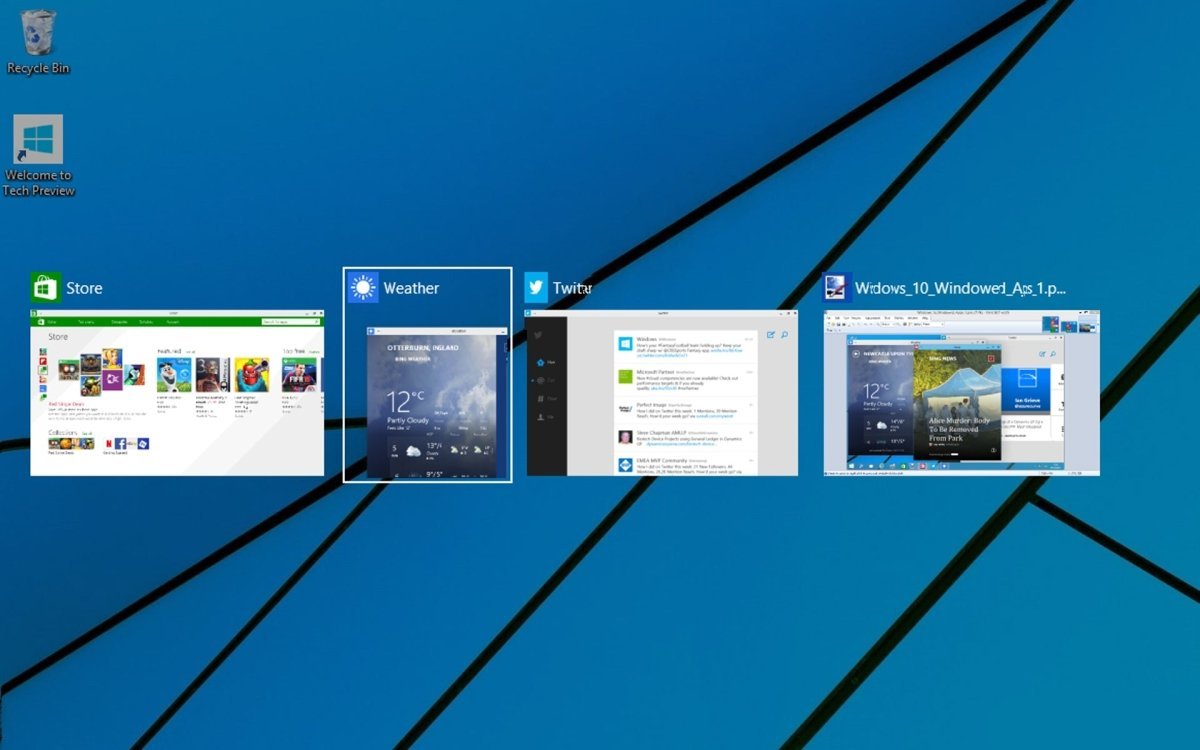
Microsoft also places great emphasis on improving productivity. Windows 10 Pro allows you to create multiple virtual desktops, enabling more efficient multitasking in everyday use. Whether on a desktop PC or laptop, Windows 10 Pro delivers outstanding performance.
For enhanced security during daily use, Microsoft has significantly improved Windows Defender, providing robust antivirus protection and regular firewall updates. Whether you are working, browsing the internet, or gaming, Windows 10 Pro offers essential protection against everyday threats.
Regular Updates Keep Windows 10 Pro Up to Date
With the release of Windows 10 in 2015, Microsoft announced a shift away from traditional version numbering, instead providing regular feature updates for all editions, including Windows 10 Pro.
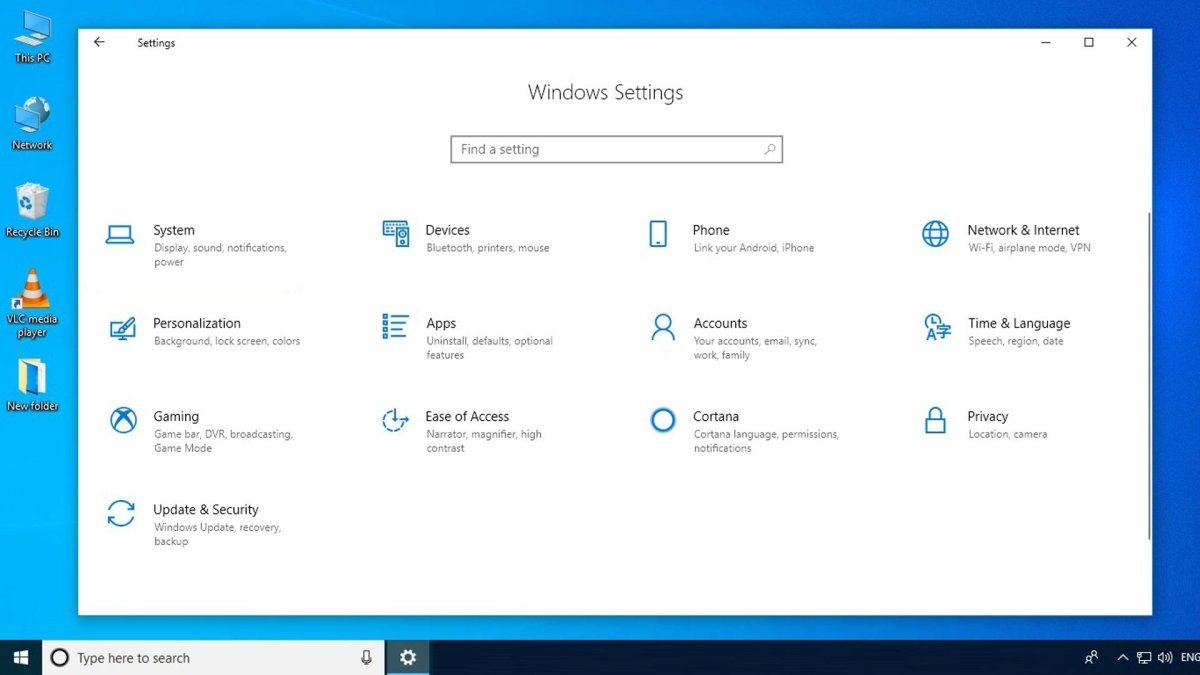
Although Windows 11 has since been released, Windows 10 Pro continues to receive important updates. Over time, Microsoft has delivered numerous security-related improvements and new features. By default, Windows 10 Professional automatically installs critical updates. If preferred, you can switch to manual update management via the system settings.
IMPORTANT NOTICE:
As a professional user, you should install security updates regularly to close potential vulnerabilities. If you prioritize maximum security, it is recommended to keep automatic updates enabled.
System Requirements – Windows 10 Pro
-
Processor: 1 GHz or faster processor or SoC
-
Operating System: Windows 10
-
Memory:
-
1 GB RAM for 32-bit
-
2 GB RAM for 64-bit
-
Storage:
-
Graphics: DirectX 9 or higher with WDDM 1.0 driver
(For more information, please refer to the manufacturer.)


 Overview
 Languages









Reviews
Clear filtersThere are no reviews yet.