Description

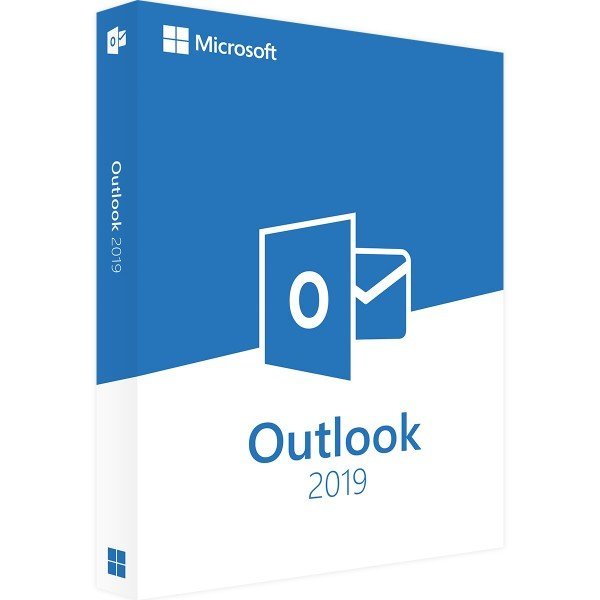
Microsoft Outlook 2019 – Windows

Efficient Email and Calendar Management

Microsoft Outlook 2019 is the ideal solution for professional email communication and appointment management. Originally designed for sending and receiving emails, Outlook has evolved into a comprehensive productivity tool for managing emails, calendars, tasks, and contacts. When you choose Microsoft Outlook 2019, you benefit from a powerful and intelligent application that helps you stay organized, work efficiently, and avoid common communication mistakes.


Key Features of Microsoft Outlook 2019

  • Standalone application

  • Advanced security features

  • BCC warning function

  • Reply tracking

  • Customizable user interface

  • Relevance-based inbox organization


Flexible Standalone Solution

Microsoft Outlook 2019 is available as a standalone application, offering all the essential Outlook features without requiring the purchase of the full Office suite. This makes it an excellent choice for users who already work with an older Office version and only want to upgrade Outlook. The standalone version delivers full functionality at an attractive price.


Why Upgrade to Outlook 2019?

Compared to earlier versions, Outlook 2019 introduces significant improvements, particularly in security. Enhanced protection against phishing emails, malware, and other digital threats helps safeguard your communication. In addition, the relevance-based inbox allows you to automatically prioritize important business emails while filtering newsletters and promotional messages—making it easier to stay focused and organized.


Avoid Mistakes with the BCC Warning Feature

The built-in BCC warning function helps prevent common and potentially embarrassing email errors. If a message is about to be sent to unintended recipients, Outlook alerts you before sending, ensuring more accurate and professional communication—especially when sending group emails.


Customizable and User-Friendly Interface

Outlook 2019 allows users to personalize the interface according to their individual workflow. Whether you frequently use the calendar or focus primarily on email management, the streamlined Ribbon design can be customized to display the tools you need most. This flexibility enhances usability and creates a more efficient and personalized working environment.


System Requirements – Microsoft Outlook 2019

  • Processor: 1 GHz or faster, 32-bit (x86) or 64-bit (x64)

  • Operating System:

    • Windows 10

    • Windows 11

    • Windows Server 2019

    • Windows Server 2022

  • RAM: Minimum 2 GB

  • Storage: At least 4 GB of available disk space

  • Display: Minimum resolution of 1024 × 768 pixels

  • .NET Framework: Version 3.5 or higher

(Additional details are available on the manufacturer’s website.)

Specification

Overview

Languages

Discounted Games

Adobe Acrobat Pro DC 2022 + Office 2024 Professional Plus

Original price was: $219.90.Current price is: $99.90.

Adobe Creative Cloud Pro STE

Original price was: $749.90.Current price is: $399.90.

Adobe Illustrator

Price range: $219.90 through $249.90

Customer Reviews

0 reviews
0
0
0
0
0

There are no reviews yet.

Be the first to review “Microsoft Outlook 2019”

Your email address will not be published. Required fields are marked *